
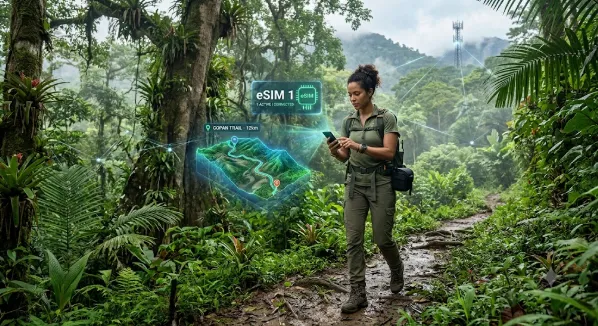
Honduras, a land of unparalleled natural beauty, beckons travelers with its ancient Mayan ruins, pristine Caribbean islands, lush rainforests, and vibrant culture. From the coral reefs of Roatán to the colonial charm of Comayagua and the bustling markets of Tegucigalpa, every corner offers a unique adventure. However, for the modern explorer, staying connected is not just a convenience; it’s a necessity for navigation, sharing experiences, and ensuring safety. Traditional roaming can quickly drain your wallet, and hunting for local physical SIM cards upon arrival can be a frustrating first step in an exciting journey. This is where the magic of an eSIM comes in, transforming your connectivity experience and letting you focus on soaking in the Honduran sun and spirit.
Why an eSIM is Your Honduran Travel Essential
Imagine landing in San Pedro Sula or getting off a ferry in La Ceiba, and your phone instantly connects to a local network, ready to guide you to your accommodation or let you share that first breathtaking photo. That’s the seamless experience an eSIM offers. Unlike traditional physical SIM cards, an eSIM is embedded directly into your phone’s hardware, allowing you to activate a local data plan digitally without needing to swap cards. This eliminates the hassle of finding a local vendor, deciphering foreign language instructions, or dealing with potentially unreliable street sellers.
The primary advantage for travelers heading to Honduras is undoubtedly the significant cost savings. Standard international roaming charges from your home provider can be exorbitant, quickly turning a short video call or map lookup into an expensive mistake. An eSIM allows you to purchase a prepaid data plan specific to Honduras, often at a fraction of the cost of roaming. This means more money for diving lessons in Utila, exploring Copán Ruinas, or savoring baleadas. For a reliable and affordable way to stay connected, consider exploring eSIM plans for Honduras, which offer various data packages tailored for different travel durations and needs.
Understanding eSIMs for Honduras: What to Look For
Before you commit to an eSIM, a few key considerations will ensure you choose the right plan for your Honduran adventure. First and foremost, check your device compatibility. Most modern smartphones, including iPhone XS/XR and newer, Samsung Galaxy S20 series and newer, and Google Pixel 3 and newer, support eSIM functionality. A quick check in your phone’s settings or the manufacturer’s website will confirm this. Without an eSIM-compatible device, this convenient solution won’t work for you.
Next, evaluate the data allowance and validity period. Are you a light user who just needs maps and messaging, or will you be heavily relying on streaming, video calls, and social media? Plans can range from 1GB for 7 days, ideal for a short visit or emergency use, to 10GB or more for extended stays or heavier data consumption. Match your expected usage to avoid running out of data prematurely or paying for more than you need. Also, ensure the eSIM provider partners with reputable local networks in Honduras, such as Tigo or Claro, to guarantee the best possible coverage and speed.
Activating Your eSIM: A Step-by-Step Guide
One of the beauties of an eSIM is its straightforward activation process, which you can often complete before you even leave home. Once you purchase an eSIM plan online, you’ll typically receive a QR code or manual activation details via email. The general steps are as follows:
1. Ensure Wi-Fi Connection: Make sure your phone is connected to a stable Wi-Fi network, as the activation process requires an internet connection.
2. Access Phone Settings: Navigate to your phone’s cellular or mobile data settings. On iPhones, this is usually ‘Settings’ > ‘Cellular’ > ‘Add eSIM’ (or ‘Add Data Plan’). On Android devices, it’s typically ‘Settings’ > ‘Network & Internet’ > ‘SIMs’ > ‘Add more’.
3. Scan QR Code or Enter Details: If you received a QR code, choose the option to ‘Use QR Code’ and scan it with your phone’s camera. If you have manual details, select ‘Enter Details Manually’ and input the provided SM-DP+ Address, Activation Code, and Confirmation Code.
4. Label Your eSIM: Your phone will prompt you to label the new eSIM. Give it a descriptive name like ‘Honduras Travel’ to easily identify it later.
5. Set as Primary for Data (Upon Arrival): Once you land in Honduras, go back to your cellular settings. Set your new ‘Honduras Travel’ eSIM as your primary line for cellular data. Crucially, enable data roaming for this eSIM profile. This might sound counterintuitive, but for eSIMs to connect to partner networks abroad, data roaming must be active for that specific profile. Don’t worry, you’re not incurring roaming charges from your home provider as long as your home SIM’s roaming is off or its data is disabled.
Navigating Connectivity in Honduras: Coverage Realities
While eSIMs offer incredible convenience, it’s important to have realistic expectations about network coverage in Honduras. In major urban centers like Tegucigalpa, San Pedro Sula, and La Ceiba, you can generally expect good 4G LTE coverage, allowing for smooth browsing, messaging, and even video calls. Popular tourist destinations such as Roatán, Utila, and Copán Ruinas also typically have decent connectivity, especially in populated areas and near resorts.
However, as you venture into more remote or rural regions, mountainous terrain, or less developed coastal areas, coverage can become spotty or even non-existent. This is a common challenge in many developing countries, regardless of whether you’re using an eSIM or a local physical SIM. For these areas, it’s wise to download offline maps, important documents, and entertainment before you lose signal. Many hotels and guesthouses in these regions will offer Wi-Fi, which can serve as a reliable backup when cellular data isn’t available.
Maximizing Your Data: Tips for Travelers
To make the most of your eSIM data plan in Honduras and avoid unexpected charges, a few smart habits can go a long way. Regularly monitor your data usage through your phone’s settings to track how much you have left. Whenever possible, connect to secure Wi-Fi networks at your accommodation, cafes, or restaurants to conserve your cellular data. Before heading out for the day, download offline maps (Google Maps allows this) for areas you plan to visit, reducing reliance on live data for navigation.
Consider adjusting your phone’s settings to limit background app refresh and disable automatic updates for apps while on cellular data. These features can silently consume significant amounts of data. If you encounter any issues, such as slow speeds or no connection, first try restarting your phone. If the problem persists, double-check your eSIM settings to ensure data roaming is enabled for the correct profile and that your data limit hasn’t been reached. For persistent issues, contact your eSIM provider’s customer support. When considering an international eSIM service, good customer support is a key factor.
Exploring Honduras with the peace of mind that reliable connectivity brings truly enhances the experience. An eSIM simplifies your travel, keeps you within budget, and ensures you’re never truly disconnected, allowing you to fully immerse yourself in the wonders of this Central American gem.
